Can it really turn any photo into a pattern?
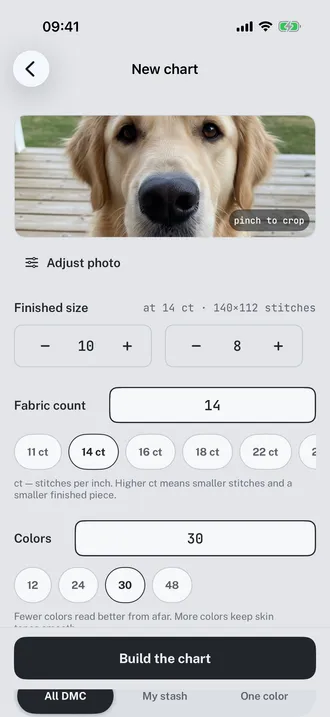
It can turn any photo into a chart. Whether that chart is worth stitching depends mostly on the photo. A face at arm's length with clear light works. A group shot where each head is 40 pixels across does not, because a stitch cannot hold detail smaller than itself. Flossgrid checks this before you spend anything: for a 140 by 112 chart it wants at least 980 by 784 pixels inside the crop, and it says so rather than quietly producing mush.
How many colours should I ask for?
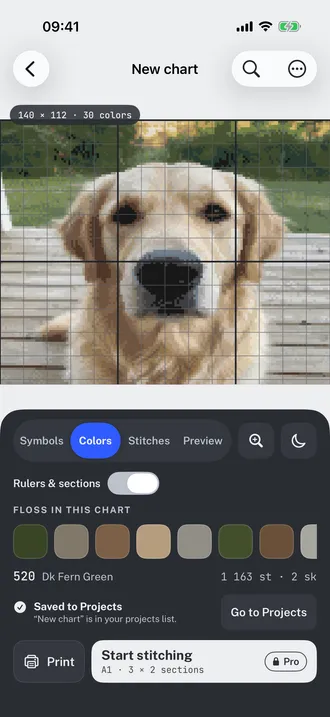
Fewer than you think. On a golden retriever portrait, 29 colours left 124 single stitches stranded on their own, most of them in the blurred background. Twelve colours left 25. The picture on screen looked slightly flatter and the chart was far easier to work. The one place more colours genuinely pay is a face, where the skin needs the steps to be small.
Does it tell me how much floss to buy?
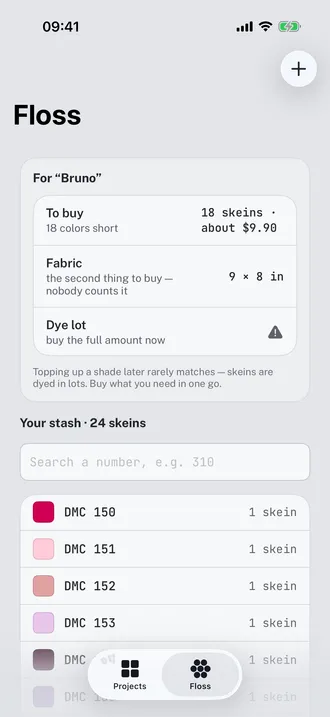
Yes, in skeins, per number. It measures the thread each colour needs at your fabric count and strand count, divides by the 24 usable metres in a skein at two strands, and rounds up. Then it takes off what your stash already covers. The example above needs 30 skeins across 29 numbers when built from the full DMC range, and 16 when built from nine numbers already in the drawer.
Can I stitch onto a T-shirt or a tote bag?
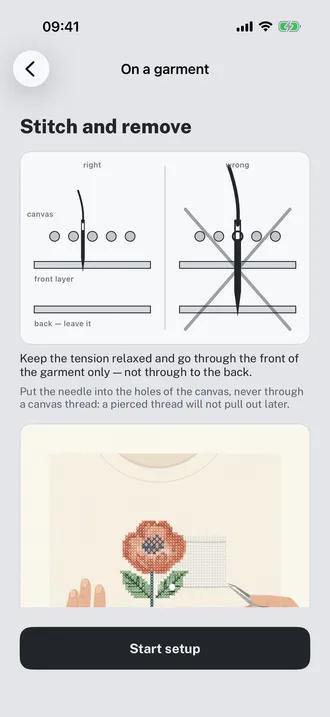
That is the part of Flossgrid that does not exist in the other pattern makers. You give it one real measurement off the garment, matched against a ruler on screen, and it has the scale for everything after that. Then you set the waste canvas count and whether you are working over one thread or two. Over two, 14 count canvas gives 7 stitches to the inch and a cross 3.6 mm across, which on the worked example comes to 39 by 31 squares, 12 colours and about two hours.
What is actually paid?
The size of the chart, and nothing else. Up to 10,000 stitches, which is 100 by 100 or any other shape with the same area, everything works: every palette mode, every stitch type, printing, PDF export, the stash, backup, the garment lessons. Above that you pay once at $44.99 or subscribe at $19.99 a year. There is no trial because there is nothing to trial: the free tier is the whole app on a smaller canvas.
What happens to my charts if I stop paying?
They stay. Every chart you built keeps opening at full size, your progress stays marked, your parked threads stay parked and your stash is untouched. What stops is building new charts above the free limit. Losing work you have already put forty hours into because a subscription lapsed would be indefensible, so it does not happen.
Does my photo go to a server?
No. Everything runs on the phone: the colour matching, the dithering, the skein arithmetic, the PDF. There is no account to make and nowhere for the picture to be sent. Moving your work to another device is done with a backup file you save and open yourself, which also means a backup is a real backup rather than a mirror of whatever went wrong last.
Do I have to print it?
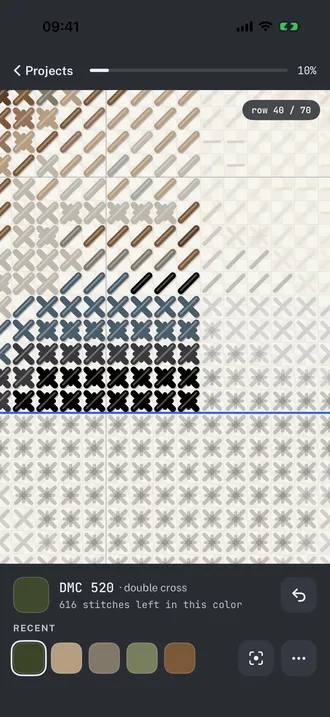
No, but you can. Printing gives you the chart across eight letter or A4 pages with an overlap so the joins line up, plus a legend page, in colour or in black and white symbols. Squares are never allowed below 4 mm on paper, which is the point where counting rows stops working. If you would rather not print, the stitching screen shows one section at a time and marks off what you have done.